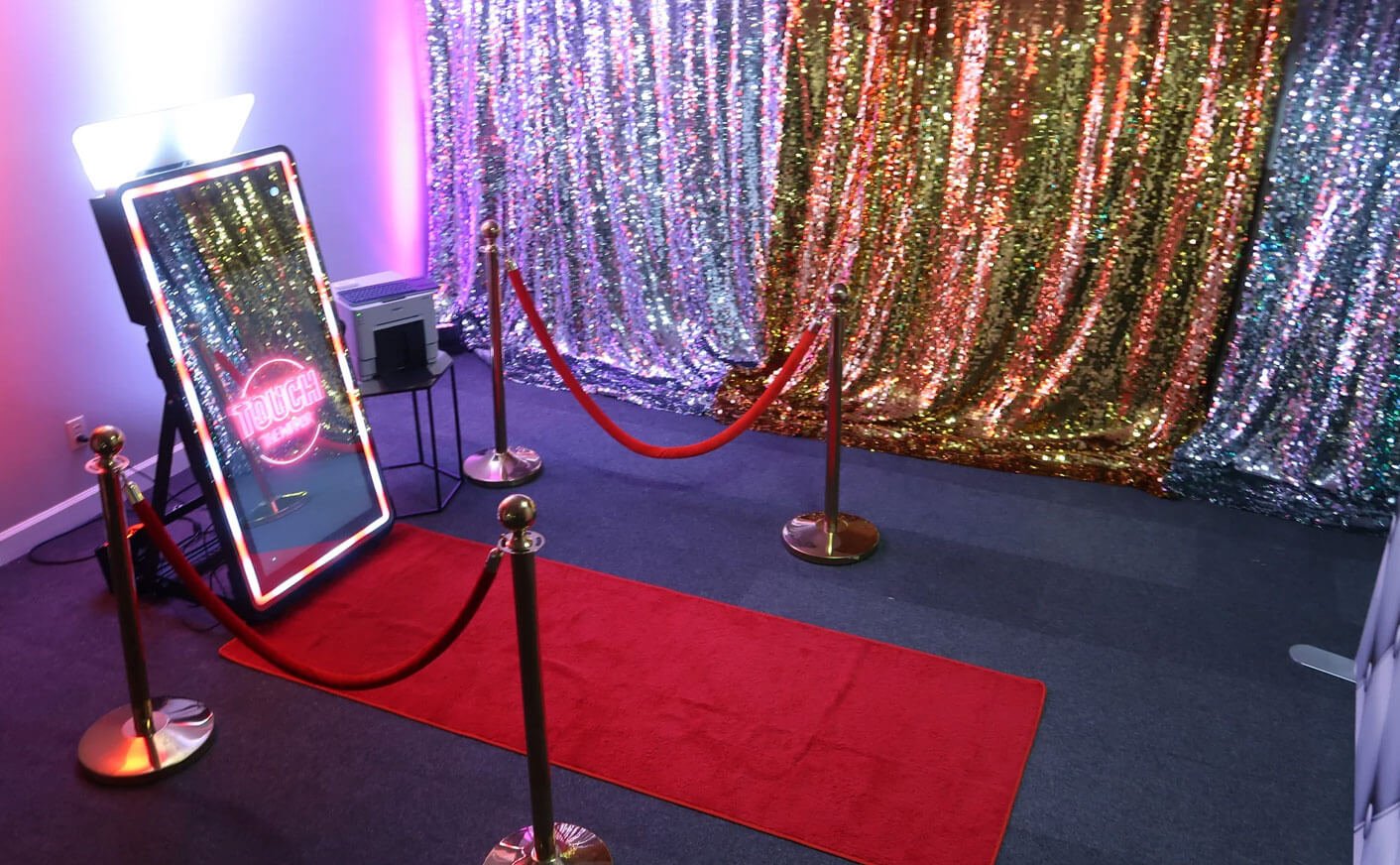
Best Software For Photo Booth Branding
Photo booth branding software is essential for creating engaging, shareable experiences at events while boosting brand visibility. The right tools offer features like AI-powered effects, custom templates, and real-time sharing, ensuring both guest satisfaction and measurable marketing results. Here’s a quick breakdown of the top options:
- LumaBooth: Affordable, multi-platform support (Windows, iOS, Mac), AI features like background removal, and Canva integration for customizable templates. Starts at $17/month.
- Simple Booth HALO: iPad-based solution with drag-and-drop design tools, real-time sharing, and lead capture. Plans range from $290 to $2,490/year.
- Snappic: Advanced branding tools for 360° setups, DSLR integration, and real-time analytics. Pricing starts at $29 per event or $69/month.
- Social Booth: One-time purchase for Windows users, offering full customization, AI tools, and no recurring fees.
Each software caters to different needs – whether it’s weddings, corporate events, or large-scale activations. Below, we dive into their unique features, pricing, and use cases to help you find the best fit. If you’re just getting started, check out our guide on how to start a photo booth business.

Photo Booth Branding Software Comparison: Features and Pricing Guide
New Layout Designer: Create Photo Booth Templates The Easy Way
sbb-itb-388abf8
1. dslrBooth

dslrBooth has been renamed to LumaBooth for Windows as of March 2026, aligning it with the broader LumaBooth platform that also supports iOS and Mac devices. With a history spanning 14 years and usage in over 150 countries, LumaBooth has facilitated millions of photos at events worldwide , making it a popular choice for those looking to start a photo booth business.
Customization Features
LumaBooth for Windows offers a wealth of branding options that extend far beyond simple overlays. The built-in template editor includes access to over 820 professionally designed templates tailored for weddings, corporate events, and more. You can fully personalize guest-facing screens – adjusting colors, resizing elements, or even replacing buttons with custom JPG or PNG files.
One standout feature is the Canva integration, which simplifies template creation. Designs exported as PDFs from Canva are automatically converted into editable layers, removing the need for manual adjustments within the software. Additionally, the platform supports animated video overlays up to 50 MB, adding a dynamic touch to event photos.
These customization tools integrate smoothly with LumaBooth’s advanced AI capabilities and broad device compatibility.
AI Tools
LumaBooth includes AI Portraits with over 170 styles, transforming guest photos into superhero characters, vintage oil paintings, or 3D avatars – all without requiring a green screen. These AI features are designed for ease of use and require no complex setup. The AI tools also enhance branding opportunities, turning every photo into a unique and shareable asset. Plus, the AI background removal feature works offline, ensuring reliability even in venues with limited internet access.
Platform Compatibility
The LumaBooth Dashboard provides seamless management across Windows, iOS, and Mac platforms. The software is optimized for Windows 10 and 11 and supports a variety of cameras, including major Canon, Nikon, and Sony DSLR/mirrorless models, as well as webcams and GoPros. For added convenience, companion apps like Booth Copilot allow remote monitoring via smartphone, and LumaShare ($7.99/month) creates dedicated sharing stations for high-traffic events.
These features make LumaBooth a flexible choice for different event setups, offering compatibility and ease of use.
Pricing
Subscriptions start at $17/month when billed annually or $49.99/month for a monthly plan, covering two devices. Additional devices can be added for $17/month each. A free trial is available, offering full functionality with a watermark on captures. For businesses managing more than 10 booths, volume discounts are available.
2. Simple Booth HALO

Simple Booth HALO continues to make waves as a branding powerhouse, combining customization and AI tools into an iPad-based photo booth solution. Since its launch in 2013, it has captured over 40 million moments. The system features a 2,100-lumen LED ring light with a lifespan of 50,000 hours and software designed for iOS 17+ devices. With a solid 4.7-star rating from over 2,400 reviews on the Apple App Store, it’s clear HALO has struck a chord with users.
Customization Features
HALO’s Layout Designer simplifies the creative process with its drag-and-drop interface, allowing users to effortlessly arrange frames, text, and logos. You can even upload custom-branded props to complement a library of over 100 digital props. From personalized start screens to multiple overlays and branded thank-you messages, every step of the guest experience is customizable.
For businesses looking to collect leads, HALO offers branded data capture forms with custom text fields and opt-in checkboxes. Impressively, it boasts an 87% opt-in rate. Ole Red Bar & Restaurant, for example, achieved an 89% opt-in rate, using the data to boost ticket and retail sales through targeted marketing campaigns. On top of that, HALO enhances event engagement with its Live Feed feature, which streams real-time slideshows and rotating ads, giving brands more visibility. Just like other top iPad photo booth apps, HALO supports customizable overlays and real-time sharing to amplify event branding.
AI Tools
HALO steps up the game with AI-powered background replacement that works without a green screen. Core plans and above include pre-built styles, while the Plus plan adds custom AI-generated prompts for unique effects. AI credits are priced at $0.10 each. The platform also features AI-estimated demographics and "Nano Banana" models for creating stylized photo effects.
Platform Compatibility
The software is compatible with select iPad Air and Pro models, including iPad Air 11" M2/M4, iPad Pro 11" (1st–4th Gen), and iPad Air 10.9" (4th–5th Gen). For those seeking higher-quality captures, Core plans and above support Canon DSLR camera integration. The hardware setup is quick, taking less than 60 seconds, and works in both portrait and landscape orientations. Sharing options include QR codes, text, email, AirDrop, and WhatsApp, all accessible through branded digital galleries.
Pricing
| Plan | Annual Price | Key Branding Features |
|---|---|---|
| Lite | $290/yr | Themes, props, filters |
| Core | $490/yr | Remove ads, green screen, video |
| Plus | $990/yr | Custom props, branding, analytics |
| Pro | $1,490/yr | Lead capture, HTML emails, custom sender |
| Select | $2,490/yr | Photo moderation, age gate, compliance |
For single events, weekly plans start at $9, and there’s a 7-day free trial available. Hardware is sold separately, with the Event Kit (stand and case) priced at $2,590, and the Install Kit (wall mount) at $2,090. Businesses focused on branding will find the Plus plan ideal for unlocking custom digital props and analytics, while the Pro plan adds advanced marketing tools like HTML email customization.
3. Snappic
Snappic takes its place as a standout branding platform, combining diverse hardware integration with real-time analytics to deliver a seamless experience. Trusted by over 8,000 brands and powering more than 100,000 events globally, Snappic has become a go-to solution for event professionals. Its versatility is evident in its support for a variety of setups, including portable photo booths for sale like iPad booths, 360° video rigs, mirror booths, robotic arms, and roaming configurations. With a 4.8-star rating from over 1,000 reviews, it’s a platform built for reliability, even in fast-paced, high-stakes environments.
Customization Features
Snappic shines with its unlimited customization capabilities. Through its template designer, users can create event-specific templates, animated GIFs, and digital magazine covers tailored to unique brand identities. Features like "Trading Cards" and "Professional Headshots" add a personal touch for guests. For high-profile events, Snappic’s Glambot is a game-changer, capable of producing 100 branded videos in under an hour.
As one operator from Canary Capital Productions shared:
"At movie premieres and red carpet events, we operate under extreme pressure… Our record? 280 guests shot, processed, printed, and shared in an hour! With our Glambot, we film and process 100 branded videos in under an hour."
These advanced branding tools have helped operators increase revenue by up to 40%, thanks to enhanced social sharing and real-time insights.
AI Tools
Snappic incorporates AI-FX for automated personalization and offers additional AI-powered features in its higher-tier plans. These include background removal and FaceAI, available through SmartShare, which further elevate the user experience.
Platform Compatibility
Snappic is designed for effortless integration with multiple hardware options, such as iPad-based booths, 360° setups, DSLR and GoPro cameras, and specialized equipment like OrcaVue and Mobibooth. To ensure smooth operations at critical events, the platform provides 24/7 technical support. David Rodriguez from Canary Capital Productions emphasized this reliability:
"We don’t trust anything else – Snappic is rock-solid, and their 24/7 support is unmatched when we’re pushing the limits!"
Pricing
| Plan | Monthly Price | Key Branding Features |
|---|---|---|
| Single Event | $29 | One-time access to templates and sharing |
| Starter | $69/mo | 60+ templates, text/email sharing |
| Business | $189/mo | AI-FX, VideoFX, green screen, analytics |
| Premium | $279/mo | White-label URLs/emails, SmartShare (FaceAI) |
| Scale | $399/mo | Multi-client management, dedicated success manager |
Snappic offers a 14-day free trial with no credit card required. According to the company, 90% of users recover their software costs within their first few events. Professional operators on the Premium plan report achieving a 10x return on investment, making the $29 single-event plan an accessible starting point for newcomers. Up next, the analysis moves on to Social Booth, diving into its branding capabilities.
4. Social Booth

Social Booth uses a one-time purchase model, meaning no recurring fees. When you buy the software, you get a full year of updates included, and renewing is entirely optional – there’s no automatic billing. For those who want to try it out first, a free demo is available, but keep in mind that all sales are final. Let’s take a closer look at the features that make Social Booth a solid choice for event branding.
Customization Features
Social Booth provides powerful tools to tailor your event branding. Its template editor gives you full control over backgrounds, overlays, and text. You can add custom PNG-24 overlays and logos, while adjusting fonts, colors, and sizes to match your design vision. With a visual editor that supports drag-and-drop functionality and manual X,Y coordinate input, you can fine-tune layouts down to the pixel.
Interactive features like magic mirrors, custom filters, green screen effects, and animated GIFs add a fun touch for guests, while customizable surveys and data collection tools help gather important lead information. Social Booth also integrates directly with popular social media platforms, making it easy for users to share their personalized photos and videos instantly – boosting your brand’s visibility.
AI Tools
The Social Booth + AI version takes things up a notch with AI-powered background removal. This feature replaces physical backgrounds with digital ones automatically, so there’s no need for a green screen. It operates on a credit-based system, where each processed photo uses one credit. You can buy credits directly through the software or from the Photo Booth Solutions online store. For busy events, a "Share & Continue" option lets the booth move on to the next guest while the AI processes the previous image in the background. These AI features pair well with the platform’s hardware integrations, making it a versatile choice for events.
Platform Compatibility
Social Booth runs exclusively on Windows and works with both DSLR cameras and webcams, giving you flexibility in hardware setups. Its "Triggers" system allows for creative control via keystrokes, external files, or COM ports, enabling compatibility with devices like arcade buttons and bill acceptors. If you want to use Snapchat AR filters, you’ll need a webcam and the Snap Camera app, as DSLRs don’t support this feature. Additionally, Social Booth can link up with Photo Booth Connected – a separate sharing station that lets guests send photos without tying up the main booth. This is especially handy when dealing with AI-heavy image processing.
5. LumaBooth

LumaBooth stands out as a versatile photo booth branding software, designed to work seamlessly across iPad, iPhone, Mac, and Windows platforms. With its roots in photo booth solutions, the Windows version – previously known as dslrBooth – has been rebranded under the LumaBooth name for a unified experience across devices. This cross-platform integration allows users to manage events effortlessly via a web-based dashboard, ensuring smooth syncing and control from any device.
Customization Features
LumaBooth offers a web-based dashboard that simplifies event preparation. You can pre-configure templates, overlays, welcome screens, and other elements directly from your browser. Once the app is launched on your booth device, all settings sync automatically, saving time and reducing on-site setup hassles. With more than 820 professional templates tailored for various occasions, users have plenty of options to match their event themes. Additionally, the layout editor allows for custom print templates, complete with personalized fonts, colors, and even guest signatures.
A standout feature is the Virtual Attendant, which uses built-in or custom video and audio prompts to guide guests through the photo booth experience. To top it off, the customizable online gallery, fotoShare Cloud, provides guests with easy access to their photos and videos, adding a modern touch to the event.
AI Tools
LumaBooth leverages AI to elevate the photo booth experience. Its AI Background Removal feature replaces physical backdrops with digital ones, eliminating the need for a green screen. The AI Portraits tool offers over 170 creative styles, transforming guest photos into everything from superhero personas to vintage oil paintings or 3D characters. For a polished look, the Glam Booth filter smooths skin, while custom LUTs and animated video overlays add flair to both photos and videos.
Platform Compatibility
The software is compatible with Canon, Nikon, and Sony DSLR and mirrorless cameras, as well as built-in cameras on devices. Windows users can also connect webcams and GoPros, while Mac users are encouraged to use devices with Apple Silicon for optimal performance. A single subscription supports up to two devices simultaneously, making it a practical choice for those starting a photo booth side hustle or managing multiple booths. Additionally, the software supports high-speed capture at 120 or 240 fps, perfect for creating smooth 360-degree video effects.
Pricing
LumaBooth is competitively priced at $19.99 per month via the Apple App Store or $18.00 per month when purchased directly through fotoshare.co. A free trial is available across all platforms, though watermarks will appear on captures until a subscription is activated. With a 4.6-star rating on the Apple App Store from over 1,300 reviews, users appreciate its affordability and reliability. LumaBooth’s blend of features and cost efficiency makes it a valuable tool for modern photo booth businesses.
Pros and Cons
Here’s a quick summary of the strengths and drawbacks of each platform based on our detailed reviews.
dslrBooth stands out for its professional-grade tools, such as a built-in layout editor and screen customizer, making it a great choice for photographers who need precise DSLR control. However, its interface can be intimidating for beginners, and its Windows-only compatibility limits its usability.
Simple Booth HALO focuses on simplicity, combining sleek hardware integration with branded overlays. It boasts a 4.7-star rating from 2,600 reviews on the App Store. On the downside, it relies on iPad camera hardware, which may not match the image quality of DSLR setups, and it lacks advanced AI face tracking.
For those prioritizing affordability, dslrBooth and LumaBooth provide budget-friendly options. Meanwhile, Snappic and Simple Booth HALO cater to larger-scale businesses by offering advanced features like lead capture and analytics, which justify their higher price points.
| Software | Monthly Cost | Platform | Best For | Key Limitation |
|---|---|---|---|---|
| dslrBooth | $17–$50 | Windows | Professional DSLR control | May overwhelm beginners |
| Simple Booth HALO | $29–$249 | iPad | Ease of use and marketing | iPad camera quality |
| Snappic | $69+ or $29/event | iOS | Premium events, 360° | Steeper learning curve |
| LumaBooth | ~$20 | iPad, iPhone, Windows, Mac | Budget multi-format | Less intuitive interface |
Most modern platforms have transitioned to subscription-based pricing, typically ranging from $200 to $600 annually. However, older options like Sparkbooth still offer one-time licenses priced between $149 and $189. For operators who own their equipment, the investment often pays off after just 3–5 events, making it a cost-effective choice compared to renting.
This breakdown provides a straightforward guide to help you pick the software that best aligns with your event requirements.
Conclusion
Selecting the right photo booth branding software means choosing the right photo booth software for your business needs. For small businesses and DIY operators, LumaBooth (around $18–$20 per month) and Simple Booth HALO Lite (about $9 per week) offer professional branding tools that are easy to use and budget-friendly. On the other hand, larger marketing agencies and corporate operations may find Snappic or Simple Booth HALO Select (priced at $249 per month) more suitable, thanks to their advanced AI features, 24/7 support, and enterprise-level data compliance.
Your choice might also depend on the type of equipment you use. If you’re a professional photographer working with DSLR cameras, dslrBooth is a great fit, offering detailed camera controls and a Windows-based workflow. For those managing permanent setups or more complex kiosks, Breeze Booth provides the flexibility needed for advanced hardware integration. Event types also play a role – weddings and private parties call for user-friendly software designed for guest enjoyment, while trade shows often demand tools that handle high traffic and enable viral content creation.
All of these software options are fully compatible with Photo Booth International‘s hardware lineup. Whether you’re using their iPad-based booths like the Cloee Ring Light or DSLR systems like the Mirror 4, you’ll find direct tethering support for Canon, Nikon, and Sony cameras. Pair this with Photo Booth International’s lifetime tech support and no-subscription hardware model, and you have a cost-effective way to combine reliable equipment with affordable software.
Start with software that meets your immediate needs and scale up as your business grows. For a deeper dive into long-term planning, check out our guide on starting a photo booth business. Many operators begin with budget-friendly plans and upgrade to more advanced options as they secure higher-paying clients and expand their services. This gradual approach ensures you build a system that’s tailored to your branding goals and delivers consistent performance.
FAQs
Which software is best for my type of event?
Choosing the right software hinges on the type of event you’re hosting and the features you want. For a flexible, all-in-one solution, look for platforms that work across various devices and allow for customization. If you’re after advanced tools like AI, GIF creation, or social sharing, opt for cloud-based software that offers these capabilities. For smaller events, simpler apps with easy setup and branding options can be a great fit. The key is to align your software choice with the size, style, and objectives of your event.
Do I need a DSLR or is an iPad enough?
When deciding between a DSLR and an iPad, it all comes down to your priorities for image quality and ease of use. iPads are lightweight, simple to operate, and come equipped with impressive cameras, making them a great choice for casual events or semi-professional needs. On the other hand, if you’re aiming for top-tier photos or need advanced control over your shots, a DSLR is the way to go, thanks to its larger sensors and extensive settings. The right choice will depend on the type of event you’re covering and the image style you want to achieve.
How do I measure branding ROI from a photo booth?
To gauge the return on investment (ROI) of branding through a photo booth, focus on measurable metrics. Start by tracking the number of branded photos shared on social media, as well as engagement rates like likes, comments, and shares. Additionally, monitor leads or bookings that can be directly tied to the event.
You can also analyze data points such as QR code scans, email sign-ups, or the total number of social media shares generated by attendees. To get a clearer picture of your branding impact, set specific goals before the event and compare the results from before and after. This approach makes it easier to assess how effectively the photo booth contributed to your branding efforts.