

Top 7 AI Features in Photo Booth Software
AI has transformed photo booth software, making it faster, smarter, and more engaging for event guests. From automated framing to real-time effects, these tools save time, improve photo quality, and boost guest satisfaction. Here are the seven key features reshaping the photo booth industry:
- Facial Detection & Smart Framing: Automatically centers faces, detects blinks, and guides poses for perfect shots.
- AI Beauty Filters: Instantly smooths skin, adjusts lighting, and refines photos for polished results.
- Background Removal: Replaces physical backdrops with virtual scenes using AI.
- Digital Props & Face Tracking: Adds interactive stickers, costumes, and effects in real time.
- Auto Enhancement: Improves brightness, color, and sharpness instantly, eliminating post-editing.
- AI GIFs & Video Effects: Creates shareable animations, slow-motion videos, and artistic transformations.
- AI Templates & Branding: Automates layouts, adds logos, and ensures consistent branding.
These features reduce setup time, streamline workflows, and deliver professional-quality results. AI photo booths can increase event profitability by $300–$500 per event, making them a smart choice for operators looking to stand out.
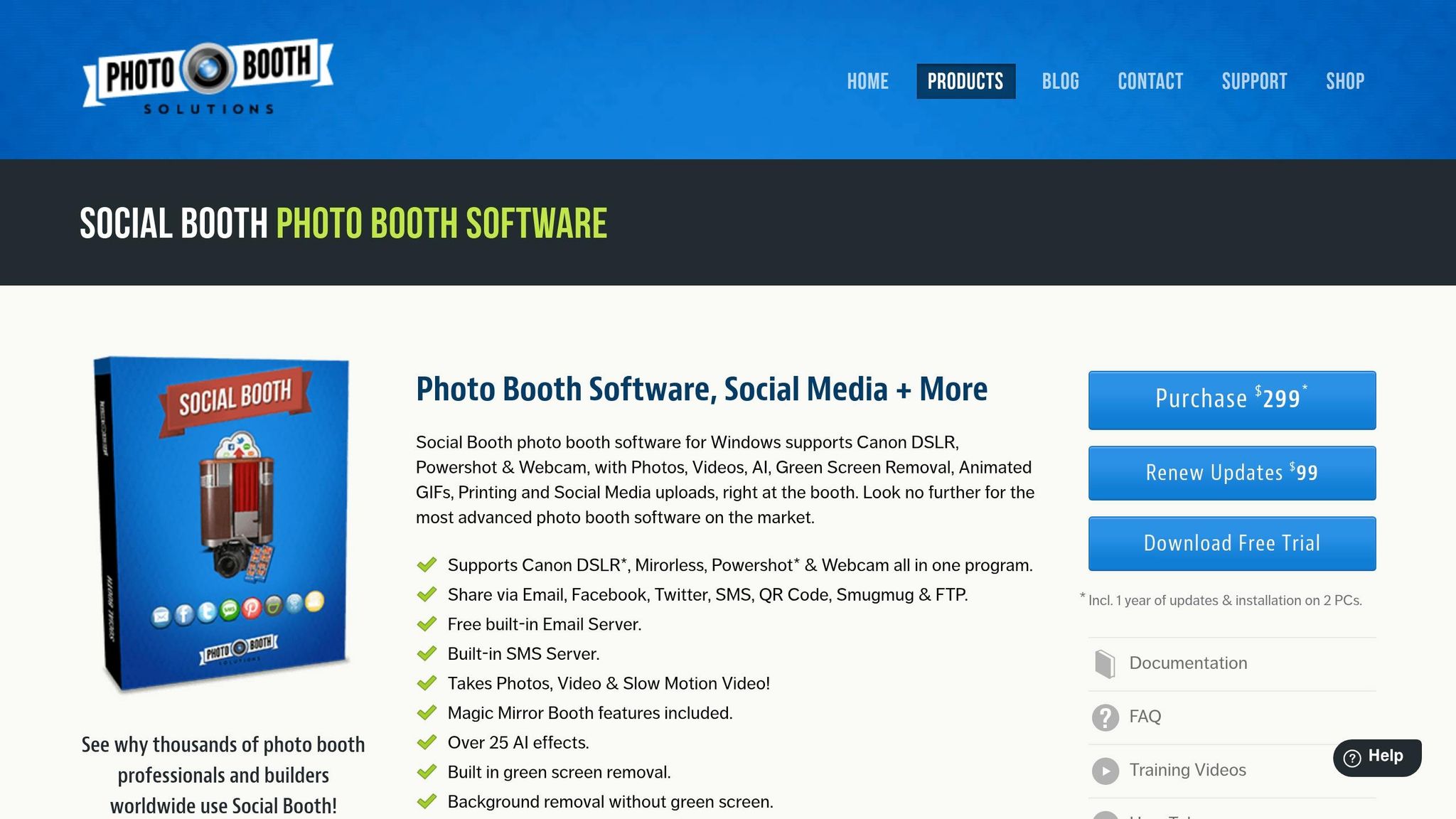
How to Add AI Effects to Your Photo Booth with Social Booth – AI Photo Booth Software Tutorial
1. Facial Detection and Smart Framing
Facial detection pinpoints every face in the frame and automatically adjusts the composition, ensuring no awkward half-faces or off-center shots. This eliminates the need for tedious post-event corrections. Thanks to advanced AI engines, these adjustments happen in just seconds, keeping wait times short and seamless.
Two standout features that enhance this process are blink detection and pose guidance. Blink detection spots closed-eye shots instantly and prompts a retake on the spot, while pose guidance provides on-screen cues to help subjects position themselves correctly before the photo is taken. This combination not only saves editing time but also improves the overall experience for guests.
Group photos introduce additional challenges, particularly with maintaining individual facial clarity. A common issue, known as "similarity drift," occurs when AI unintentionally blurs or distorts individual features. Interestingly, about 90% of AI photo booth software struggles with this problem. However, high-end systems tackle this with identity preservation controls, which ensure that each person’s facial details remain intact, even when stylistic changes are applied to the background or image.
These adjustments are designed to handle a variety of scenarios, from solo portraits to large group shots, adapting in real time. They are compatible with a range of devices, including DSLRs, webcams, and tablets. However, a reliable internet connection is crucial for smooth processing. To avoid delays, it’s a good idea to test the venue’s internet speed beforehand, ensuring each photo is processed in just a few seconds.
2. AI Beauty Filters and Skin Smoothing
AI beauty filters take facial detection to the next level, refining every shot to perfection. Once a photo is captured, guests immediately notice how polished they look. These filters work by identifying faces, analyzing skin tone and lighting, and applying subtle adjustments like skin smoothing, brightness tweaks, and noise reduction. The result? A polished, "glam-style" photo that impresses every time.
What makes these filters stand out is their ability to adapt to individual features and lighting conditions. Whether the event is outdoors under bright sunlight or indoors with dim lighting, the software ensures natural, flattering results. As AI Photo Booths explains:
"AI identifies faces in every photo and applies subtle enhancements to ensure everyone looks their best." – AI Photo Booths
The process is impressively quick, taking just 10–15 seconds per photo. Most of this processing happens in the cloud, so having a stable internet connection is a must. Testing the venue’s Wi-Fi beforehand can help avoid any hiccups.
The quality of hardware also makes a big difference. High-resolution cameras (like 4K or DSLR) paired with professional lighting equipment – such as ring lights or softboxes – help the filters deliver superior results. On the flip side, poor or uneven lighting can lead to grainy or washed-out photos. For optimal skin smoothing, guests should stand close to the camera, allowing the AI to capture more facial detail for better results.
Flattering photos aren’t just about vanity – they boost guest engagement. When people love how they look, they’re more likely to share pictures on social media, print copies, and rave about the event. That kind of buzz is invaluable for event hosts.
3. Background Removal and Virtual Green Screen
AI-driven background removal allows photo booths to replace physical backdrops with virtual scenes, creating a seamless experience. By using neural networks, the software identifies the subject, separates them from the background, and overlays a new scene instantly.
This technology supports both offline, real-time processing on local devices and web-based processing via third-party APIs, which require an internet connection. Breeze Software highlights the benefits:
"AI based Background removal is a great alternative to green screen. The quality is awesome, there’s no cumbersome backdrop, and lighting is much simpler." – Breeze Software
The integration of virtual backgrounds opens the door to more AI-powered features, transforming the photo booth experience.
For live previews, devices equipped with an Apple A14 chip or newer, or desktops with dedicated Nvidia GPUs, deliver the best performance. Proper lighting also plays a key role in achieving accurate edge detection. When paired with precise facial detection and advanced beauty filters, AI background removal ensures every photo looks polished.
Custom backgrounds can include corporate logos, romantic designs, or themes tailored to specific campaigns. Some systems even allow guests to create unique scenes through text prompts. To achieve the best results, group shots should be limited to four people, and faces should occupy at least half of the frame.
4. AI Stickers, Props, and Face Tracking
AI face tracking takes facial detection and beauty filters to the next level by introducing interactive digital props. By mapping facial landmarks in real time, it anchors digital elements like hats, glasses, costumes, and animated stickers directly onto a guest’s face. The result? A fun, engaging, and dynamic experience.
Gone are the days of cluttered prop tables. Instead, guests can explore a digital menu on a touchscreen to pick their favorite costume or character style. With just a tap, the software can transform their look – whether it’s a festive sweater, a superhero outfit, or an anime-inspired effect. This approach can cut preparation time by as much as 70%. It’s not just about convenience; this streamlined setup encourages more guests to join in, making events more interactive and enjoyable.
For group photos, advanced face restoration ensures that every guest’s features remain distinct, while real-time pose guidance helps maintain each person’s unique look. These features work together seamlessly, ensuring a smooth and memorable experience for everyone involved.
What’s more, AI face tracking is highly adaptable. It works across various devices, from mobile gadgets like iPads and iPhones to professional-grade DSLRs from brands like Canon and Nikon, connected via USB. Effects are generated almost instantly, even at busy events, ensuring no one is left waiting. Plus, some systems can operate offline, eliminating the need for Wi‑Fi.
The numbers speak for themselves: AI-powered photo booths can generate a 10x increase in social sharing, with 85% of guests saying they’d return to an event featuring an AI photo experience. These advancements are clearly reshaping how we think about event engagement.
sbb-itb-388abf8
5. Real-Time Auto Enhancement and Color Grading
Real-time auto enhancement is a game-changer for ensuring every photo meets professional standards, right from the moment it’s taken.
If you’ve ever managed a photo booth, you know how frustrating it is to discover photos that are too dark or overly bright after an event. AI-powered auto enhancement tackles this issue instantly by adjusting brightness, contrast, color balance, and sharpness the second a photo is captured. The result? Images that look professionally edited straight out of the booth, with no need for post-event touch-ups. And the best part? This entire process takes just seconds.
"Photos that look professionally edited straight out of the booth. No post-processing required, saving you hours of work per event." – AI Photo Booths
This technology also shines in tricky lighting situations. It reduces noise in low-light settings, preserving image clarity, and balances highlights and shadows to keep details intact. Skin tone correction ensures everyone looks their best, no matter the lighting conditions. Plus, intelligent scene detection allows the software to adapt its settings based on the type of photo – whether it’s a solo portrait or a group shot.
The beauty of this system is its compatibility with various equipment. Whether you’re using high-end DSLRs like Canon, Nikon, or Sony or a basic webcam, the AI enhancement ensures consistent quality. For high-tier events, combining a high-resolution DSLR with AI-driven processing delivers even sharper results, with vibrant colors and natural skin tones.
Here’s a snapshot of how these AI features work:
| AI Enhancement Feature | What It Does | Why It Matters |
|---|---|---|
| Color Correction | Balances colors automatically | Produces natural, vibrant images |
| Dynamic Range | Preserves details in highlights and shadows | Ensures clarity in high-contrast scenes |
| Noise Reduction | Removes graininess | Creates crisp photos in low-light settings |
| Skin Tone Adjustment | Refines skin color tones | Guarantees flattering, natural looks for all guests |
| Blink Detection | Flags closed eyes for retakes | Minimizes unusable photos |
With these tools, photo booth operators can deliver polished images effortlessly, saving time while impressing clients with top-notch results.
6. AI-Powered GIFs, Boomerangs, and Video Effects
Animated content is a powerhouse for social sharing, and AI is pushing GIFs, boomerangs, and short video clips to a whole new level. It’s not just about looping frames anymore – AI can apply artistic style transformations to every frame of a moving image in real-time. Imagine your video morphing into a claymation, watercolor painting, anime scene, or even a comic book strip in just seconds. These effects make it easier than ever to create eye-catching, shareable content.
Because AI processes these effects in seconds, not minutes, it keeps things moving smoothly at events. Guests can quickly share their transformed videos via SMS, QR codes, or social platforms like Instagram and TikTok.
One standout feature is AI frame interpolation for slow-motion videos, which removes the need for expensive high-speed cameras. Instead, AI generates smooth, cinematic slow-motion effects from standard footage:
"Turn standard video into buttery smooth slow-mo using AI frame interpolation. No special camera required." – SLR Booth
This technology works with standard cameras like Canon, Nikon, or Sony DSLRs, and even webcams. For the best results, a Windows 10/11 PC with an Intel i5 processor and 8GB of RAM is recommended.
AI also enhances the audio experience. AI audio leveling automatically filters out background noise and balances volume, ensuring that guest messages are clear even in noisy venues like reception halls or nightclubs. Pair this with AI-driven background removal, which eliminates the need for a physical green screen, and you’ve got a polished, professional video output with minimal effort. These tools take event engagement to the next level.
| Feature | How AI Enhances It | Guest Benefit |
|---|---|---|
| Slow-Motion | Frame interpolation from standard footage | Cinematic video without a high-speed camera |
| GIFs/Boomerangs | Style transfer across all frames | Unique, shareable artistic transformations |
| Video Guestbook | Audio leveling and noise reduction | Clear voice recordings in noisy environments |
| Backgrounds | Real-time subject segmentation | Virtual environments without a physical green screen |
7. AI-Driven Templates, Branding, and Layout Automation
AI is making waves in layout design and branding, turning what used to be a time-intensive process into something fast and efficient.
Creating custom layouts used to take hours of manual work. Now, AI can handle it all – generating themed templates, adding branded overlays, and composing shots automatically, without the need for constant manual tweaks.
Smart Cropping is a standout feature. It identifies the best composition for each photo, ensuring subjects are perfectly framed within branded layouts. This means you can rely on the software to handle framing on the fly, even during hectic events.
Consistency is another big advantage. AI tools make sure branding stays uniform across every output. Custom logos, sponsor graphics, and other brand elements are seamlessly integrated by advanced layout designers.
AI also takes things a step further with multi-frame storyboarding. This feature allows you to create multi-scene narratives – like comic strips – where each frame can have its own unique AI prompt. Everything is automatically branded, and guests even have the option to personalize their experience while keeping brand standards intact.
For photo booth operators, the benefits are huge. AI automation cuts down on the need for extra staff and eliminates lengthy post-event editing. This means you can handle more events with less hassle. Many AI layout tools are included in plans starting at $99 per month, with individual AI generations costing about $0.10 per credit.
| AI Layout Feature | What It Does | Operator Benefit |
|---|---|---|
| Smart Cropping | Finds the best composition for each photo | Removes the need for manual framing |
| Branded Overlay Integration | Automatically adds logos and sponsor graphics | Ensures consistent branding across outputs |
| Multi-Frame Storyboarding | Assigns unique prompts to each frame in a sequence | Creates dynamic, shareable multi-photo stories |
| Credit-Free Prompt Testing | Lets you test layouts in a dashboard before events | Fine-tunes branding without using credits |
These AI-powered tools simplify event workflows and elevate the overall experience.
Comparison Table
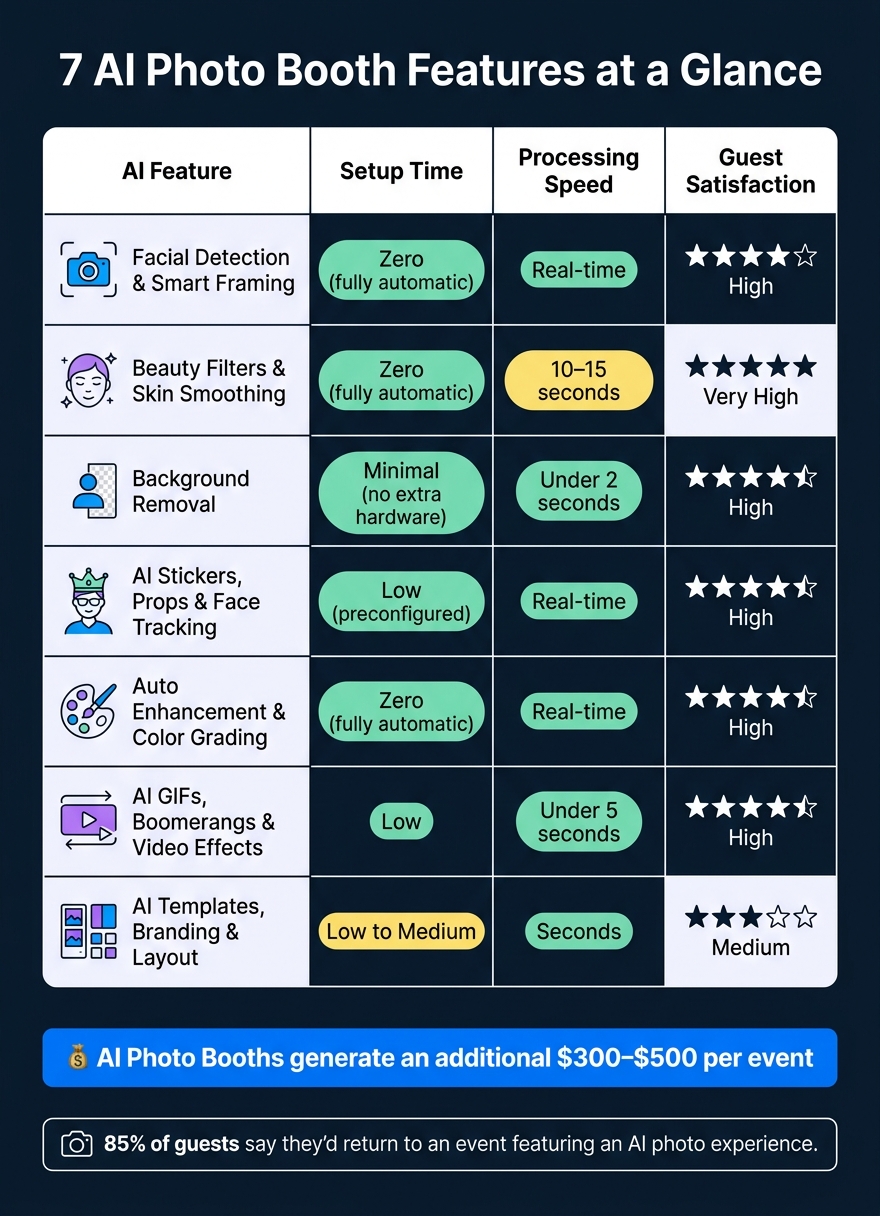
7 AI Features in Photo Booth Software: Speed, Setup & Guest Impact
AI features come with varying levels of automation and setup requirements. The table below highlights how these features perform across key areas like speed, customization, and guest satisfaction.
| AI Feature | Setup Time | Processing Speed | Customization Level | Guest Satisfaction Impact |
|---|---|---|---|---|
| Facial Detection & Smart Framing | Zero (fully automatic) | Real-time | Low (auto-optimized) | High – perfectly centered shots every time |
| Beauty Filters & Skin Smoothing | Zero (fully automatic) | Real-time | Medium (adjustable presets) | Very High – guests look and feel their best |
| Background Removal | Minimal (no additional hardware required) | Real-time / under 2 seconds | High (any digital backdrop) | High – clean, immersive results |
| AI Stickers, Props & Face Tracking | Low (preconfigured) | Real-time | Medium (preconfigured) | High – fun and interactive |
| Auto Enhancement & Color Grading | Zero (fully automatic) | Real-time | Low (auto-applied) | High – professional quality without effort |
| AI GIFs, Boomerangs & Video Effects | Low | Under 5 seconds | Medium (overlays, speed) | High – social media-ready content |
| AI Templates, Branding & Layout | Low to Medium | Seconds (instant for templates) | Very High (logos, prompts, multi-frame) | Medium – polished, professional keepsakes |
This comparison gives a clear view of how AI features align with different event needs. For instance, facial detection, beauty filters, and auto enhancement require no setup, making them perfect for last-minute events or high-pressure situations. Meanwhile, background removal eliminates the hassle of physical green screens, allowing for seamless integration of digital backdrops without the need for specialized lighting.
Customization is another area where certain features shine. AI templates and layouts offer extensive branding options, letting you include logos, multi-frame designs, and prompts for a tailored guest experience.
"AI effects are processed in seconds, not minutes. Guests see their transformed photo almost instantly – keeping the line moving and the excitement high at busy events." – BoothLedger
While processing speed is generally quick, it can depend on your internet connection. Testing the venue’s Wi-Fi beforehand helps ensure smooth, cloud-based performance. For high-traffic events, models like Nano Banana are optimized for speed, while Nano Banana Pro balances speed with higher image fidelity. This breakdown helps you choose the best AI tools to match your event’s needs.
Conclusion
AI has reshaped the way photo booth software works, bringing features like automated framing, retouching, background replacement, and more. These tools not only create a smoother experience for guests but also cut down wait times significantly.
From a business perspective, the benefits are hard to ignore. Operators who offer AI-powered photo booths often see an additional $300–$500 per event, thanks to fast and polished results delivered in just seconds. This combination of speed and quality boosts event profitability while making operations much easier to manage.
"AI photo booths aren’t a trend anymore. They’re becoming standard, and if you haven’t upgraded, you’re competing at a disadvantage." – Rock Cam Team
AI also simplifies workflows by automating event activations, enabling cloud-based management, and replacing physical props with digital alternatives.
Photo Booth International supports business owners with cutting-edge hardware, lifetime tech support, and comprehensive training to help secure more bookings and drive revenue growth.
FAQs
Do AI photo booths need internet to work?
AI photo booths are designed to work offline for core functions, ensuring smooth operation without relying on an internet connection. That said, certain features – like software updates, advanced editing tools, or remote management capabilities – usually depend on being online.
What hardware is needed for AI features to run smoothly?
To keep AI features running smoothly in a photo booth, you’ll need some solid hardware. Start with a high-quality camera, such as a Canon DSLR, to capture sharp images. Pair that with a Windows laptop or tablet equipped with at least an Intel i5 processor and 8 GB of RAM (though 16 GB is better if you’re using AI effects). A dedicated GPU is also essential for handling advanced tasks like real-time editing and automated filters without any hiccups. These components work together to deliver a seamless experience.
How can I prevent faces from looking distorted in group photos?
AI-driven photo booth software leverages face detection technology to recognize faces and make subtle adjustments to enhance their appearance, all while maintaining natural proportions. It also fine-tunes face positioning within the frame, ensuring everyone fits comfortably without any distortion. These tools work together to produce well-composed, high-quality group photos that preserve natural facial features and expressions.

